
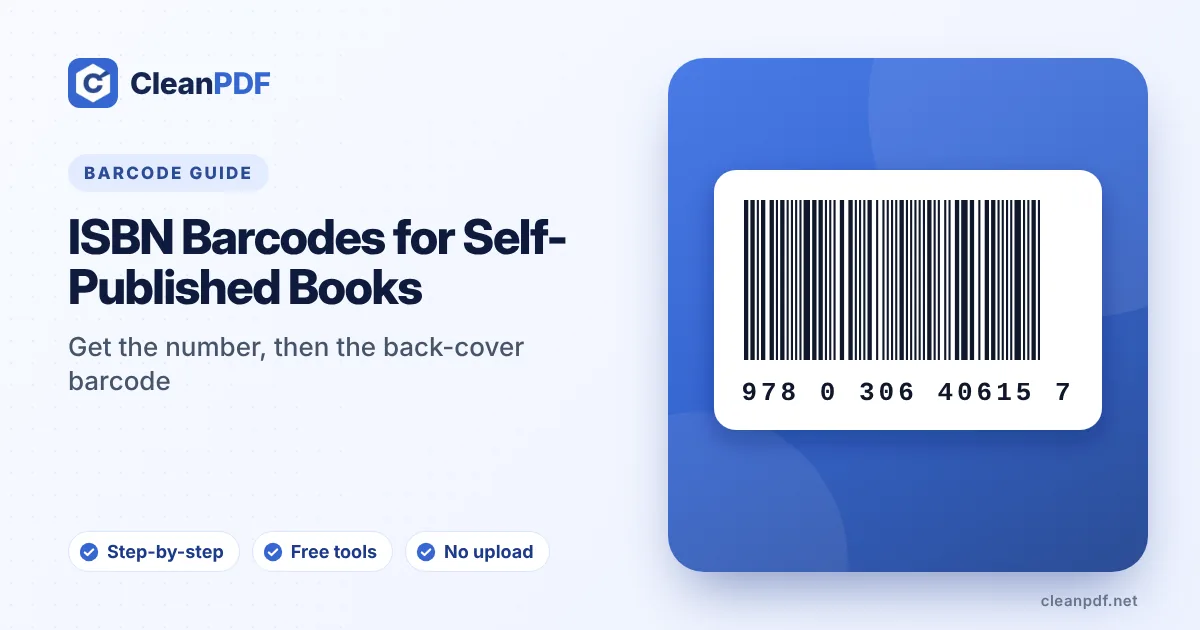
Get your ISBN from your country’s official ISBN agency: it is free in some countries, such as India (through isbn.gov.in) and, according to publishers there, Pakistan (the National Library of Pakistan), while in the USA Bowker sells them (US$125 for one, US$295 for ten at the time of writing). You need a separate ISBN for each format: paperback, hardback and ebook. The barcode is then just your ISBN-13 drawn as an EAN-13, which you can make with a free ISBN barcode generator.
Self-publishing has a moment where the creative work stops and the admin starts. The printer asks for an ISBN. A distributor wants “the barcode”. Several websites offer to sell you both, sometimes for much more than they cost from the official source.
Here’s what you actually need, and where it’s cheap or free.
What an ISBN is (and isn’t)
An ISBN (International Standard Book Number) identifies one specific edition and format of a book. Bookshops, libraries and distributors use it to order and catalogue your title. Since 2007, ISBNs have 13 digits and start with 978 or 979.
- It is an identifier that links the book to you as its publisher.
- It isn’t copyright. You own the copyright to your work whether or not it has an ISBN.
- It isn’t a barcode. The barcode is just a way of printing the ISBN so shop scanners can read it.
Where to get one
ISBNs are issued by one official agency per country or region, to publishers based there. If you publish your own book, you are the publisher.
| Country | Agency | Cost (check before applying) |
|---|---|---|
| Pakistan | National Library of Pakistan, Islamabad (national ISBN agency) | Reported by publishers to be free of charge |
| India | Raja Rammohun Roy National Agency for ISBN, online at isbn.gov.in | Free |
| USA | Bowker (myidentifiers.com) | US$125 for 1, US$295 for 10, US$575 for 100 |
| UK and Ireland | Nielsen ISBN Store | Paid, sold singly or in blocks |
| Canada | Library and Archives Canada | Free |
Prices and procedures change, so confirm on the agency’s own website before you apply. Ask too about legal deposit, the copies many national libraries require you to send after publication.
One ISBN per format
Each format and edition needs its own ISBN:
- Paperback and hardback: two ISBNs.
- Ebook: another ISBN (some platforms don’t require one for ebooks).
- Audiobook: another one.
- A revised second edition with substantial changes: new ISBNs.
Correcting typos or changing the price doesn’t need a new ISBN. A new cover on the same text usually doesn’t either.
The back-cover barcode
A book barcode is a normal EAN-13 made from the ISBN-13, sometimes called a “Bookland” EAN. The ISBN is printed above the bars in human-readable form, and the 13 digits appear below. Nobody needs to sell you this: once you have the ISBN, a generator can draw it in seconds.
The price add-on
Many books show a small second barcode to the right: a five-digit price add-on (EAN-5). In the US system, the first digit 5 means US dollars, so 51299 means $12.99. 90000 means “no suggested price”, which is common for self-published books and outside North America. Other currencies use a different leading digit; ask your distributor if they need one.
Placing it on the cover
- Generate a vector file.
Enter the ISBN (with or without hyphens) in the ISBN barcode generator, add the price code if needed, and download SVG or PDF.
- Put it in the usual spot.
Bottom right of the back cover, on a white box, well away from the spine and the trim edge.
- Keep it at full size.
Around 100% (roughly 37 mm wide for the main barcode); don’t squash it to fit a design.
- Check the digits.
The number under the bars must exactly match the ISBN on the copyright page.
Magazines and journals
Periodicals use an ISSN instead, printed as an EAN-13 starting with 977, often with a two-digit issue add-on. The ISSN barcode generator handles that format.
Before you send files to the printer
- The ISBN on the copyright page matches the barcode.
- Paperback and hardback have different ISBNs and different barcodes.
- The barcode has white space around it and isn’t over a photo.
- The cover PDF is print-ready. Our DPI guide helps with image resolution.
- You have registered the title details with the agency.
Frequently asked questions
Is an ISBN free?
Do I need a different ISBN for paperback and ebook?
Do I have to buy the barcode separately?
What does 90000 mean next to a book barcode?
Can I use the free ISBN from Amazon KDP elsewhere?
Make your book’s ISBN barcode
Correctly hyphenated ISBN line, optional price add-on, vector PDF or SVG for the cover.
Create an ISBN Barcode